
Get help with homework
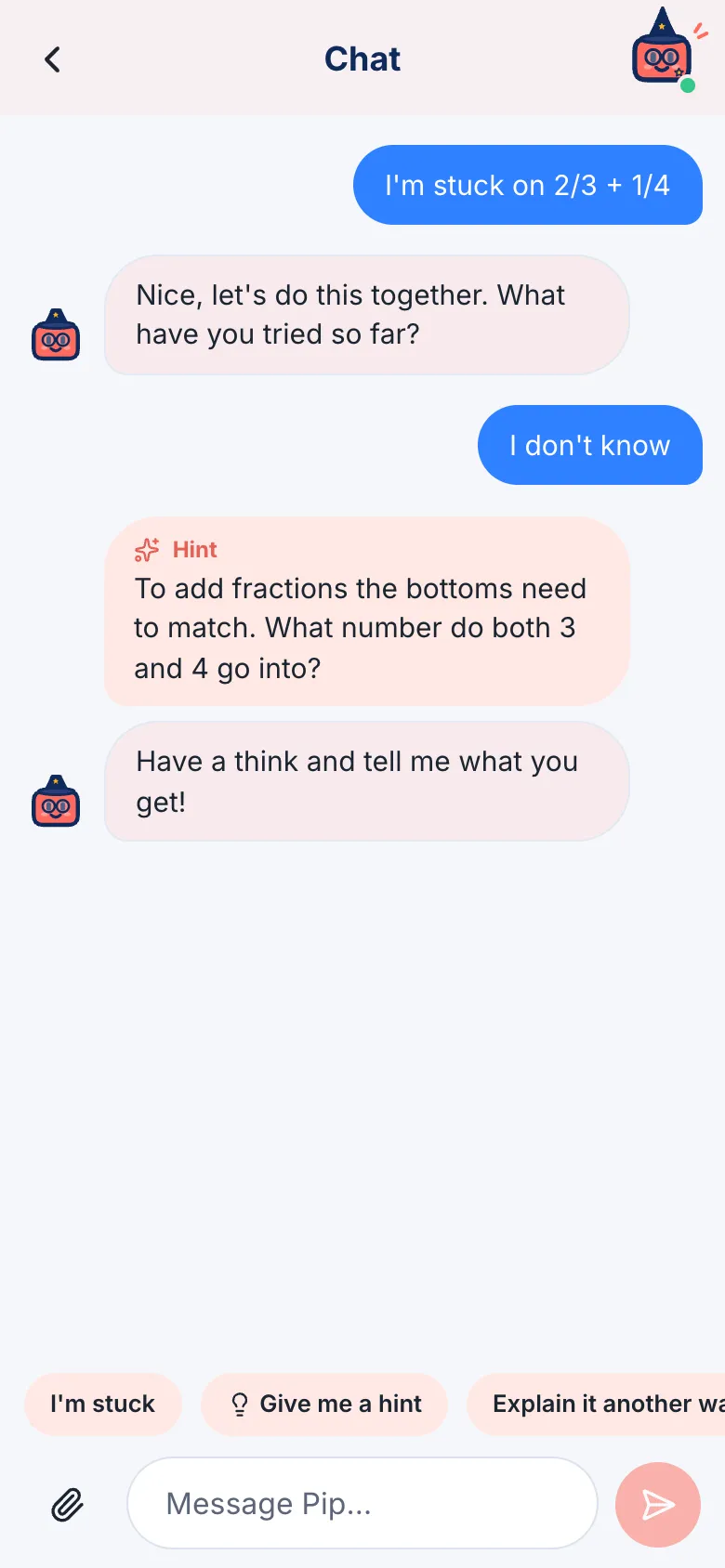
Your buddy is like a friend sitting next to you. It won’t just tell you the answer. It asks you questions, gives you hints and shows you examples, so you work it out. That’s how it sticks!
- On the home screen, tap Chat.
- Tell your buddy what you’re stuck on, for example “I’m stuck on 2/3 + 1/4”. You can type it, or tap I’m stuck on… to get started.
- Answer your buddy’s questions. If you’re not sure, that’s fine: just say so.
When you need more help
Section titled “When you need more help”Tap the buttons above where you type:
- I’m stuck: your buddy helps you find a way in.
- Give me a hint: a small clue to help with the next step.
- Explain it another way: the same idea, said differently.
- Check my answer: tell your buddy what you got, and why.
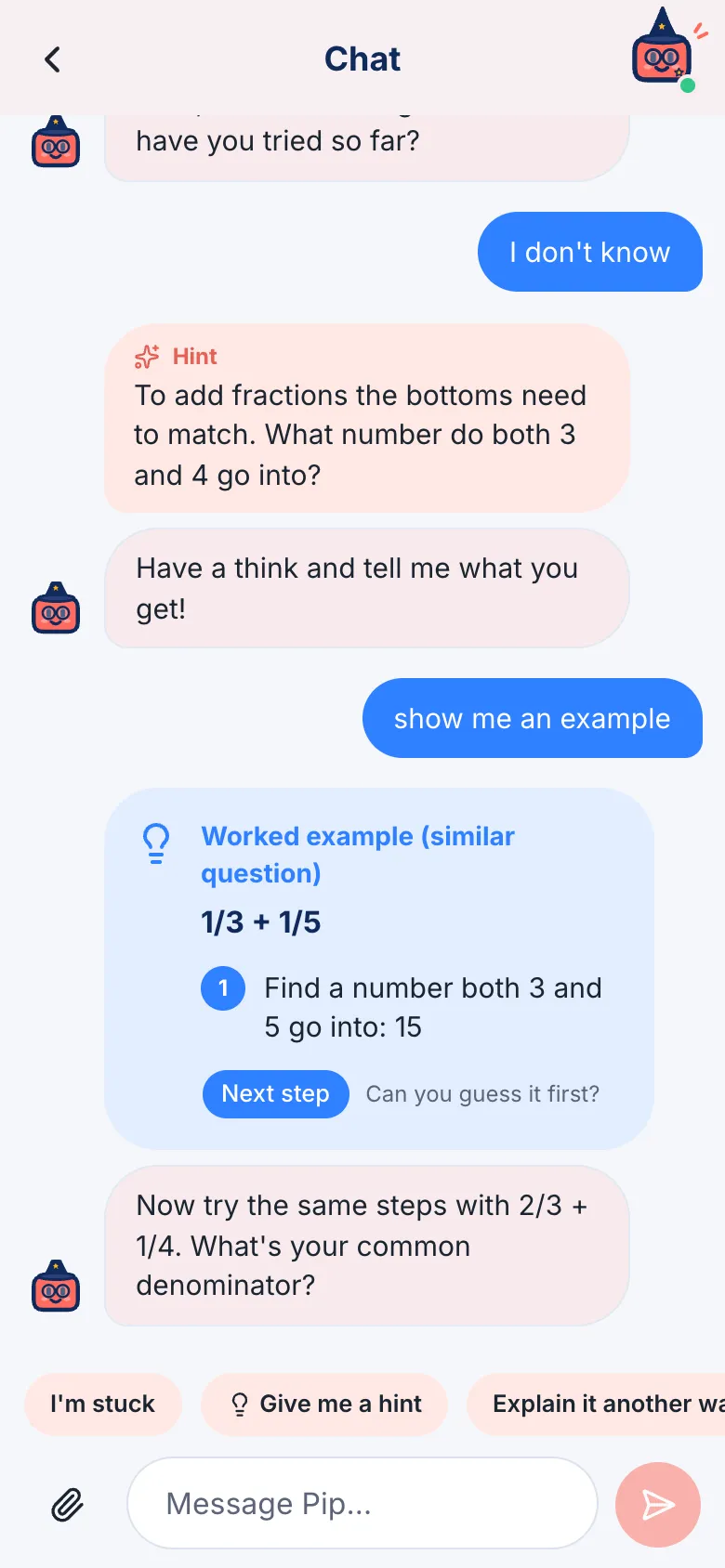
If you’re still stuck after a few tries, your buddy shows you an example of a question like yours, step by step. Then you have a go at your own one.
When you get it right
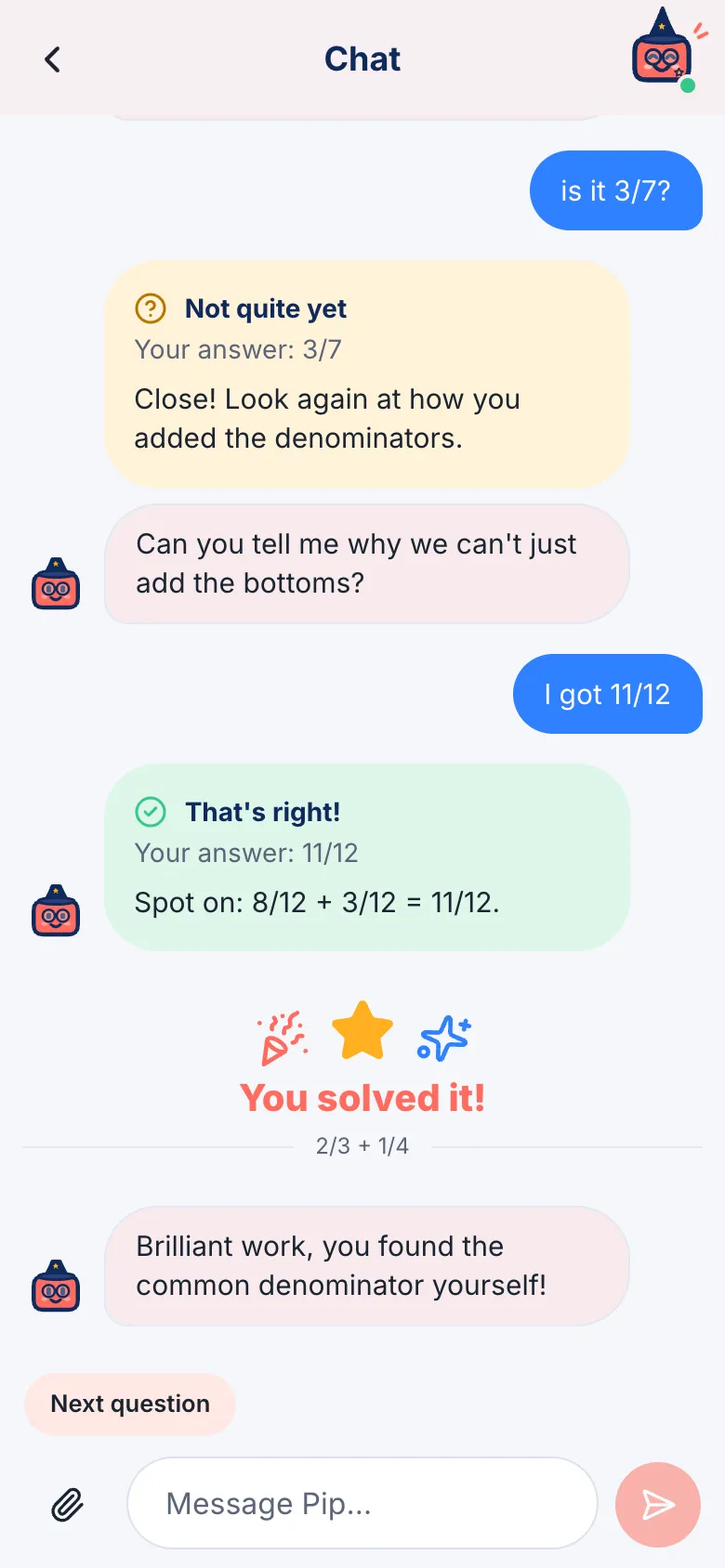
Section titled “When you get it right”Your buddy tells you it’s right, and you get a You solved it! Tap Next question to keep going.