
Change how much help a child gets
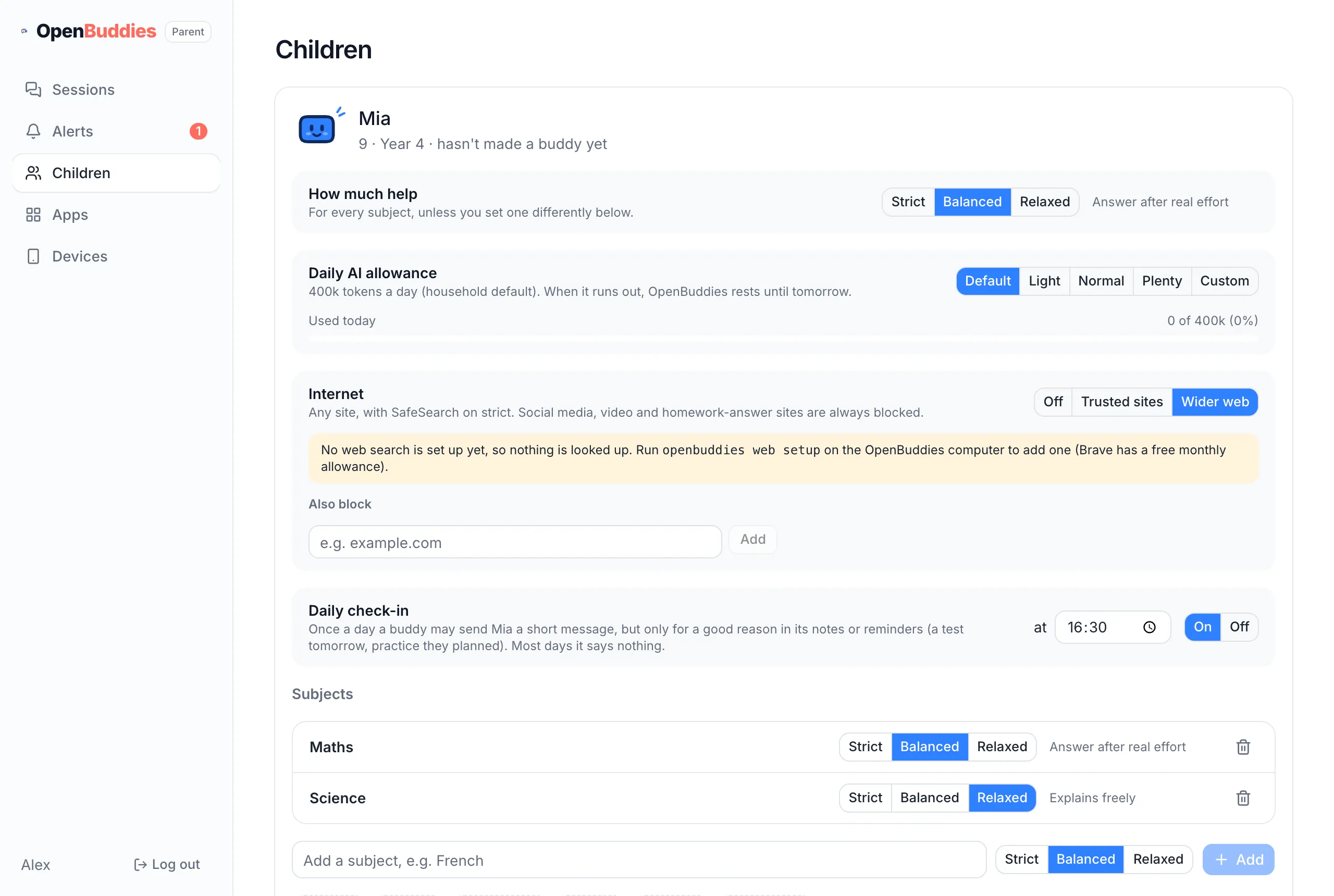
Each child has one help level, which every subject follows unless you give a subject its own.
| Level | What the buddy does |
|---|---|
| Strict | Never gives homework answers. Questions, hints and worked examples of similar problems only. |
| Balanced | Shows the answer after real effort. |
| Relaxed | Explains freely. |
Change a child’s help level
Section titled “Change a child’s help level”openbuddies children mode <child> strictOr open your parent page, go to Children, and pick a level.
Give one subject its own level
Section titled “Give one subject its own level”openbuddies subjects add <child> history --mode relaxedopenbuddies subjects mode <child> maths strictChildren can add subjects themselves when they make a buddy. A new subject starts as Strict, and you can change
or remove it under Children. See every subject with openbuddies subjects list <child>.
To understand how the levels work turn by turn, read Help levels and the hint ladder.